Identify Comics
by Cover
Snap a cover or a graded slab. ComicBrain comes back with the title, issue number, publisher and year — flags whether you are holding a key first appearance, and shows what it is worth across grades.
Every publisher in your long boxes
Filter the catalogue by publisher or by comic age — Golden, Silver, Bronze, Copper and Modern — so you can go straight to the run you are working on.
Three steps, one issue at a time
No price guides, no overstreet lookups, no squinting at a cover date. Frame the book and let the app do the rest.
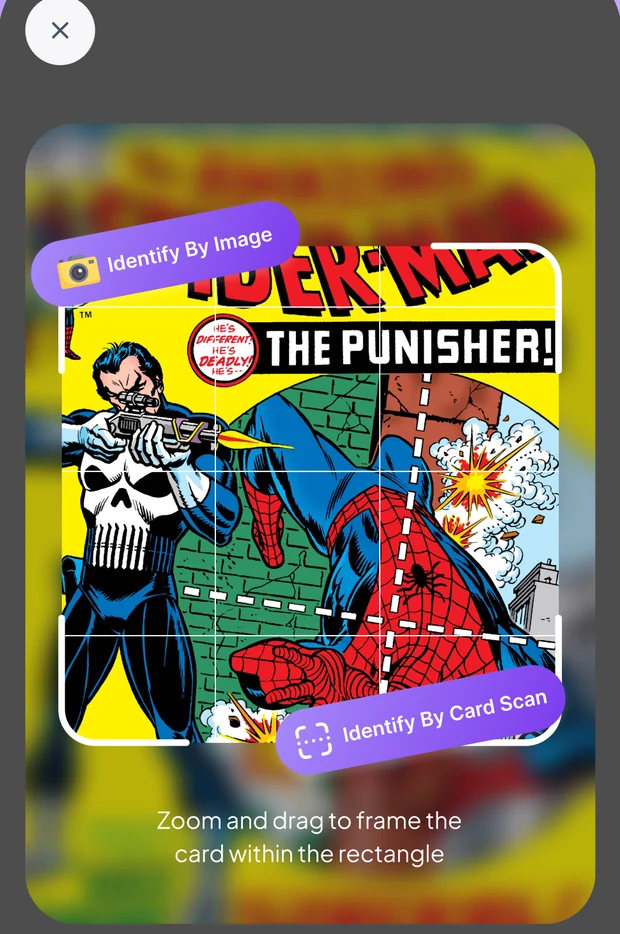
Snap the cover
Raw book or graded slab — frame it in the rectangle and tap once. Already have a photo? Identify by image instead.
Get the issue
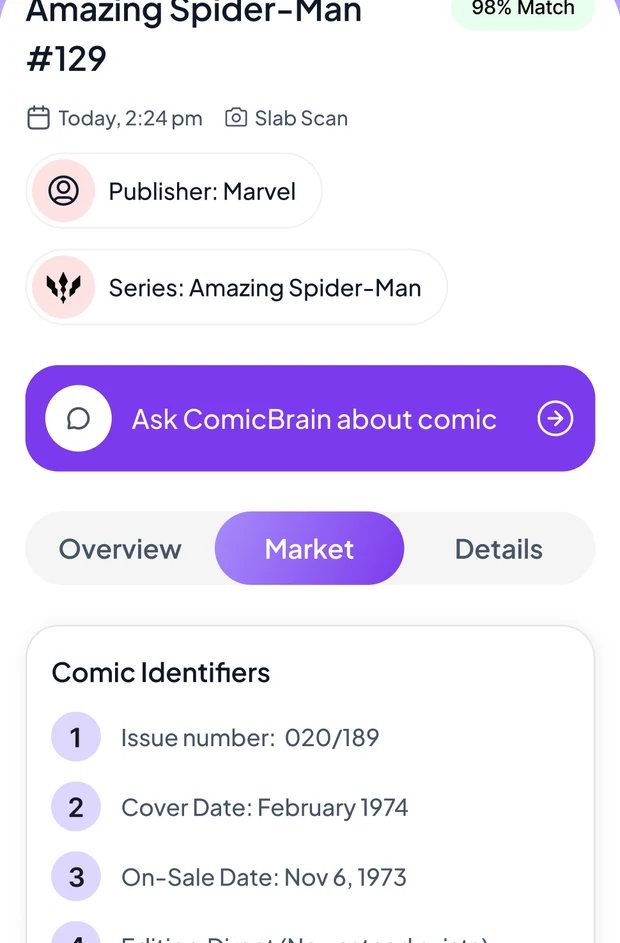
Title, issue number, publisher, cover date and edition come back with a match confidence — and a banner if the book is a key.
File it in a long box
Save it to a long box and the issue starts tracking itself — value by grade, and the collection total alongside it.
More than an identifier — a collector's desk
Scanning is the front door. What keeps collectors in the app is everything that happens to the book afterwards.
Unlimited comic scans
Identify issues by cover in seconds — no daily counters, so a whole short box can go through in an evening.
Value across grades
Compare what the same book is worth raw versus slabbed, from Raw NM up through the CGC grade tiers.
Key issue detection
First appearances, origin stories and major keys get flagged with the reason they matter, right on the issue.
Long boxes & collection value
Sort books into long boxes you name yourself and watch the collection total move with the market.
Ask ComicBrain
Unfamiliar cover or a variant-heavy run? Answer a few questions and the assistant narrows it to a shortlist.
Photo enhancer
Clean up a dim or angled cover shot before it goes to the identifier — better input, better match.
Browse & search
Look a book up by title, or filter the catalogue by publisher and comic age to see what is out there.
Scan history
Everything you have identified stays in recent scans — re-open a book without scanning it twice.
All-in-one comic tools
Scan, value, save and organise your comics — one app instead of a price guide, a spreadsheet and three browser tabs.
See what the book is worth at every grade
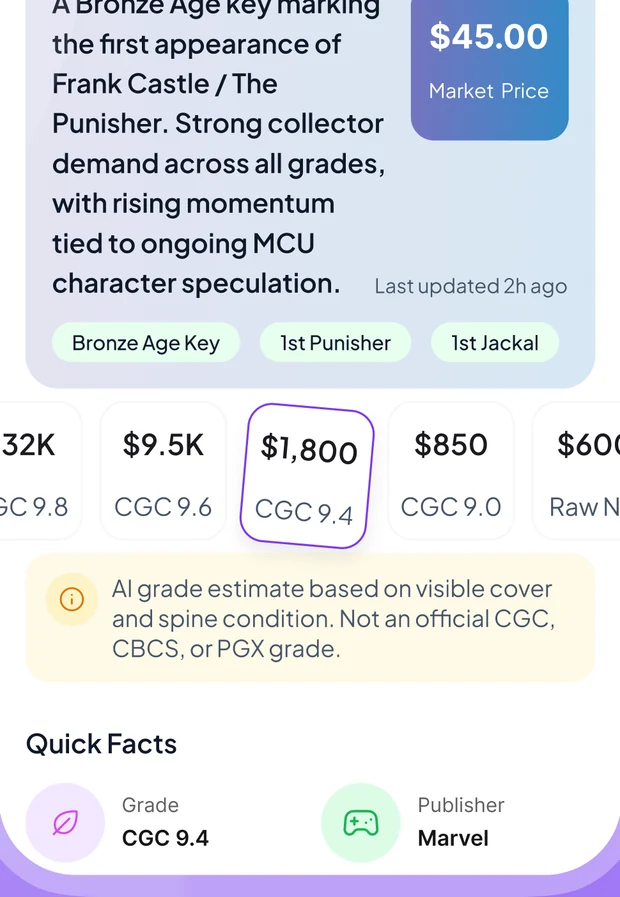
The same issue is a different asset raw than it is in a 9.8 slab. ComicBrain lays the grade tiers side by side so you can see where the value actually sits before you buy, sell or send it off.
-
Raw through 9.8, in one row The jump between tiers is usually the whole story.
-
Why the book moves A plain-language read on the demand behind the number, not just the number.
-
An AI grade estimate, clearly labelled Based on visible cover and spine condition — and the app says so, on the screen, every time.
-
Estimates, not a live price feed Market figures are estimated from catalogue data. The app labels them that way rather than implying a third-party feed it does not have.
Know when you are holding a key
The difference between a common issue and a grail is often one panel. ComicBrain flags first appearances, origin stories and major keys as soon as the book is identified — with the reason it matters, not just a badge.
-
First appearances called out Who debuts in the book, stated plainly on the issue.
-
Comic identifiers you can check Issue number, cover date, on-sale date and edition — the fields that separate a printing from a reprint.
-
Variants handled Variant-heavy runs are exactly where a cover-only guess goes wrong.
-
Verify anything that matters Identification is AI-assisted. It is a strong first pass, not an authentication.
Your collection, catalogued and valued
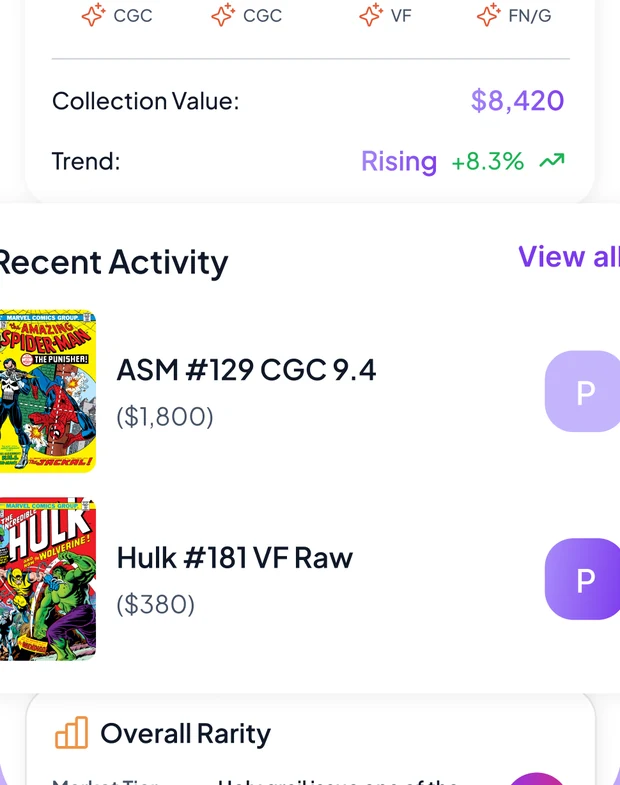
Every scan can go straight into a long box you named yourself. The collection total moves with the market, so the boxes in the closet stop being a mystery.
-
Long boxes on your terms Name them by run, by publisher, by whatever you actually use.
-
Collection value and trend The total tracks the same estimates the issue pages use.
-
Recent activity at a glance What you added last, with the grade it was logged at.
-
Synced to your account Sign in on a new phone and the long boxes are already there.
Straight from inside the app
Real screens, in the order you meet them: frame the cover, read the issue, and ask when the cover is unfamiliar.
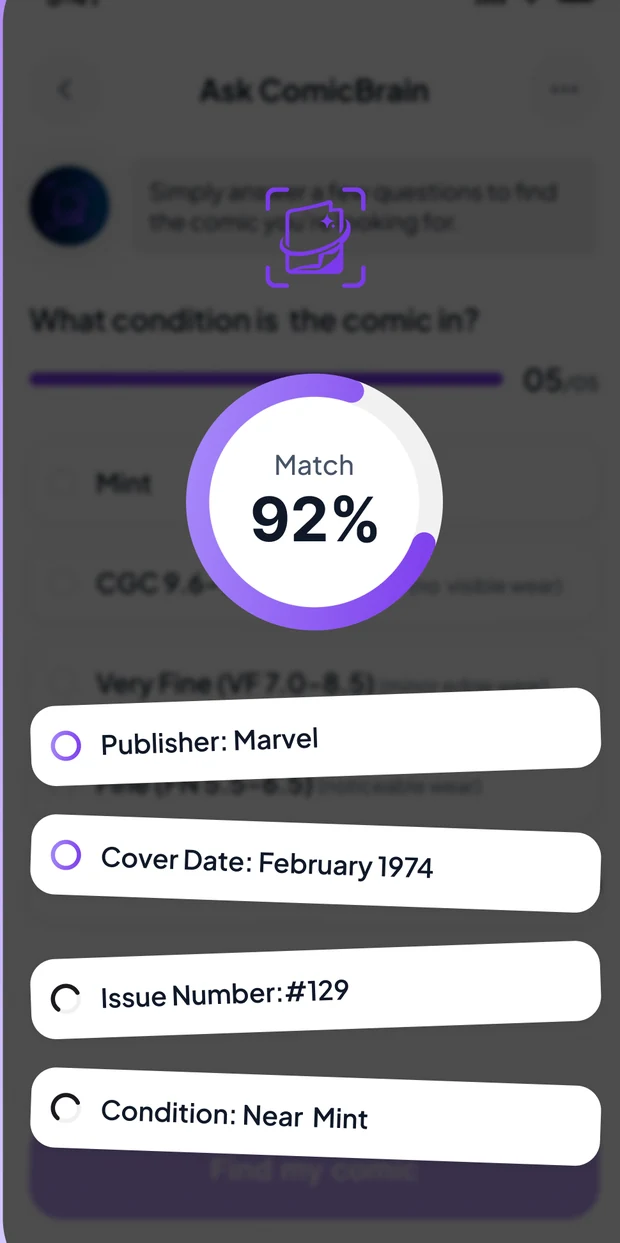
Taken from the ComicBrain App Store screenshots. Titles, grades and figures shown are examples — market values in the app are estimates derived from catalogue data, and the app labels them as such.
What you get with ComicBrain
ComicBrain is a subscription app: the download is free, and full access comes with the subscription. Where your store offers an introductory free trial, the purchase screen shows it before you commit.
Start with the appPrice, any introductory offer and renewal terms are set by the App Store or Google Play and are shown on the purchase screen in your region before you buy. If a trial is offered it converts to a paid subscription unless you cancel beforehand, and you can cancel any time from your store subscription settings.
-
Unlimited comic scans Identify issues by cover in seconds.
-
CGC market values Compare raw and graded values across grades.
-
Key issue detection Flag first appearances, variants and major keys.
-
Collection value tracker Track your comics as market estimates move.
-
All-in-one comic tools Scan, value, save and organise your comics.
Questions, answered
The things collectors ask us before they download.
Find out what is actually in the box
Free to download. Point the camera at the book on top of the pile and see what comes back.